
MOONSKAI EDITOR
Moonskai Editor (Free)
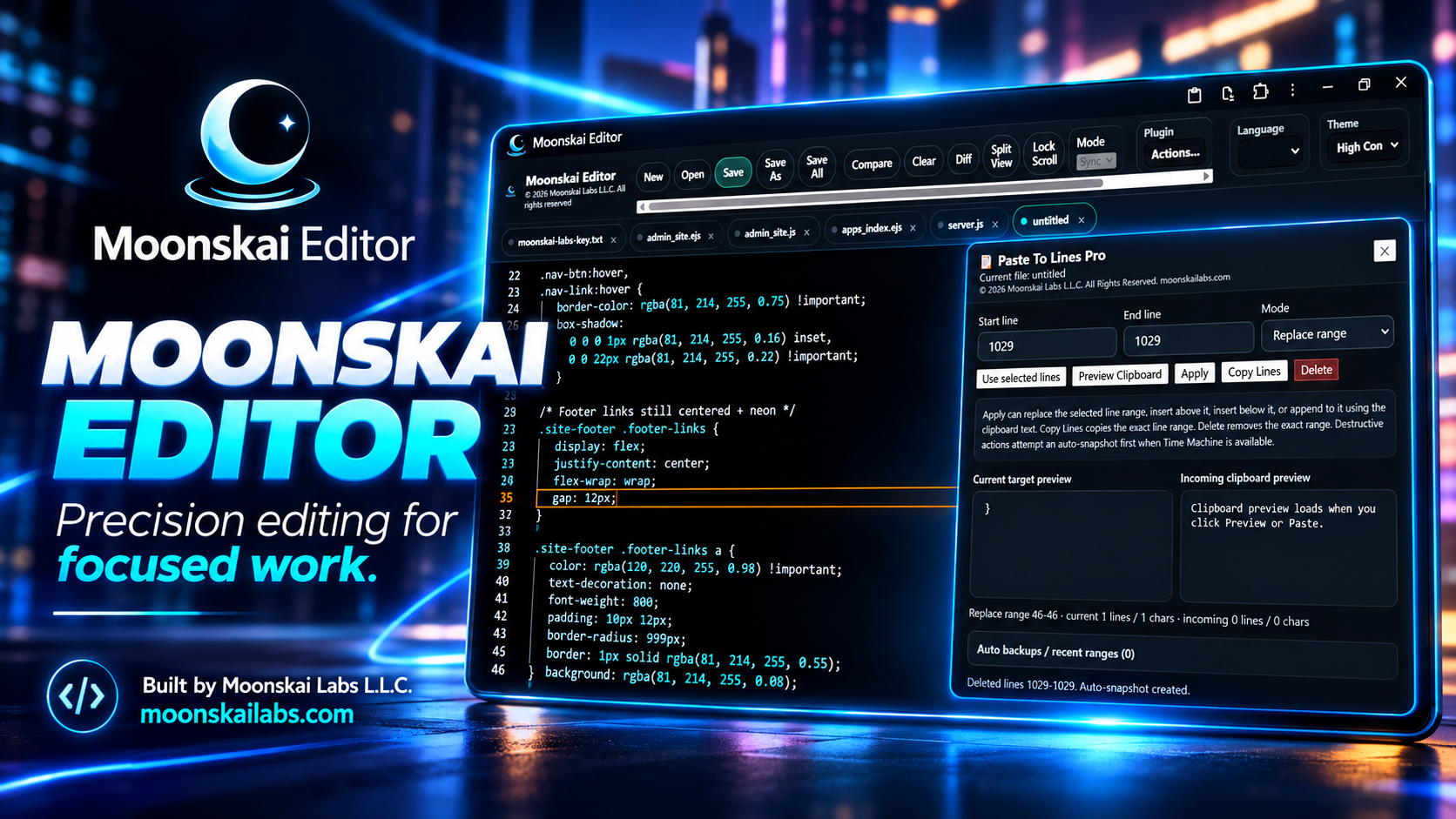
A powerful, offline-capable code editor with real multi-tab workflow, compare/diff tools, and a plugin system.
Moonskai Editor is a fast, focused development environment built around a multi-tab editor experience with compare views, true diff tooling, and local-first storage — designed to work smoothly even when you are offline. The free version includes a full starter plugin pack so you can immediately work faster without extra setup, and it can be expanded further with the Pro Plug-ins Pack when you want even more advanced workflow tools.
What you get (Free)
- Multi-tab editing for real workflows (not a single-file toy editor).
- Split Compare view (master editor + compare pane) for side-by-side review.
- True Diff mode using Monaco DiffEditor for real diffing (editable left, read-only right).
- Local-first storage so your work and settings persist.
- Offline/PWA-ready behavior for a reliable editing environment.
- Plugin system so features can be added cleanly without bloating the core editor.
The free edition is designed to be immediately useful, then expandable through plugins as your workflow grows.
Why it’s different
A lot of “in-browser editors” are demos. Moonskai Editor is built like a real tool: tabs, compare/diff, persistent settings, and a plugin architecture you can build on. It’s meant to be practical — the kind of editor you can actually use.
Real compare + diff
Use a compare pane for review or switch into true diff mode for precise changes.
Local-first
Your environment persists so you can pick up where you left off without reconfiguring everything.
Plugin-driven growth
New capabilities can be added as plugins instead of turning the core editor into a cluttered mess.
Included free plugins (10-pack)
These 10 plugins come with the free editor. They add real workflow power without changing the core editor behavior.
- Bookmark Manager — Create and manage file/position bookmarks with optional colors, plus next/prev navigation.
- Case Cycler — Convert selected text (or current word) to camelCase, snake_case, UPPERCASE, lowercase, and more.
- Code Runner — Run HTML/CSS/JS sets in a new browser tab for quick preview testing.
- Diff vs Clipboard — Load clipboard text into the compare pane and diff against what you’re editing.
- Go To Line — Jump to a specific line number fast with a persistent floating tool.
- Paste to Lines Select line range and paste code to or delete code from selected line range
- Scratchpad — A floating note pad that auto-saves locally, with optional file open/save support when available.
- Snippet Library — Save, preview, edit, delete, and insert reusable code snippets from a dedicated manager.
- Time Machine — Snapshot history with preview, restore, delete, plus export/import for safety and rollback.
- Clear Space — Reduce interface clutter and focus on the editor when you want a cleaner, distraction-reduced view.
Great for
- Editing and reviewing code quickly with compare/diff tools
- Building small web experiments (HTML/CSS/JS) and previewing them fast
- Keeping reusable snippets and scratch notes in the same workspace
- Working offline or in a stable local-first environment
- Growing your workflow using plugins instead of bloating the core UI
Plugin philosophy
The editor stays clean. Plugins add focused capabilities only when you want them. That means the free editor can remain fast and readable — while still being expandable into a serious platform.
Start with the included Free Plug-ins Pack, then step up to the Pro Plug-ins Pack when you want more advanced rollback, snippet, and precision line-editing tools.